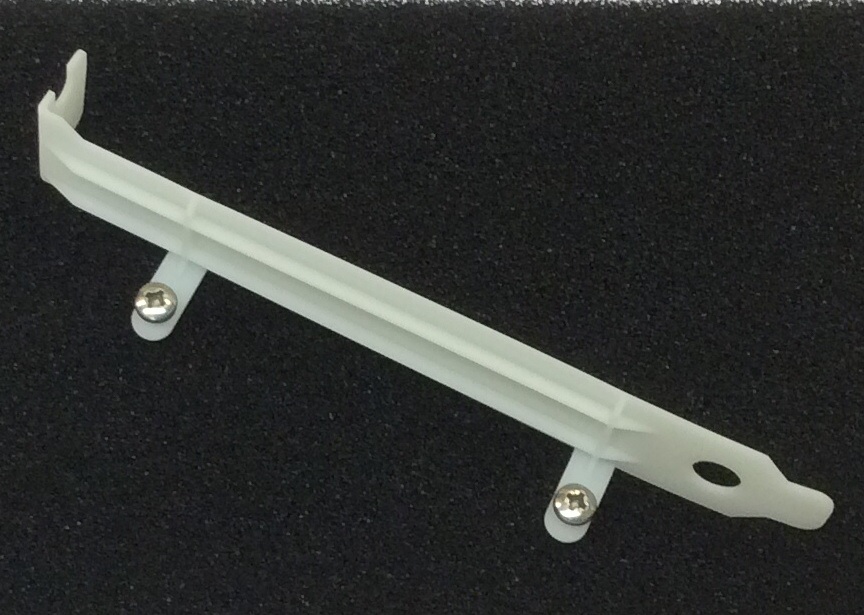
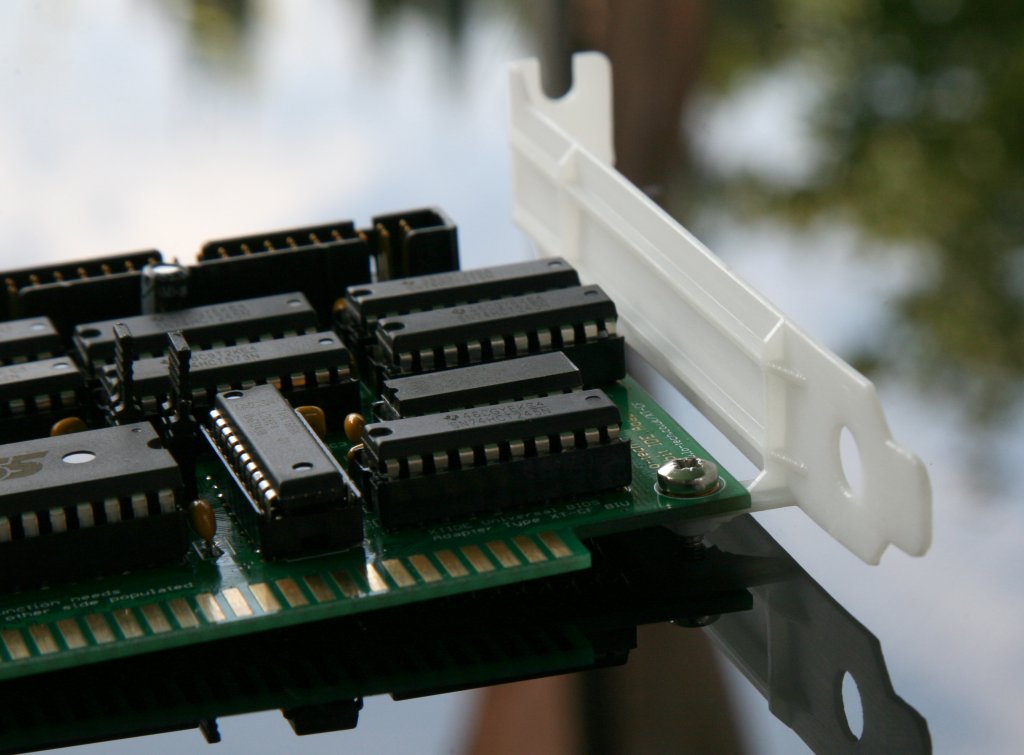
My first attempt at an ISA slot bracket produced on a 3D printer (see here) went reasonably well, with the result perfectly able to do the job of supporting the cards in the slot. But they were a bit more bendy that I’d hoped, so here is a revision 2 with ribs running down the length and either side of the card mounting fingers:
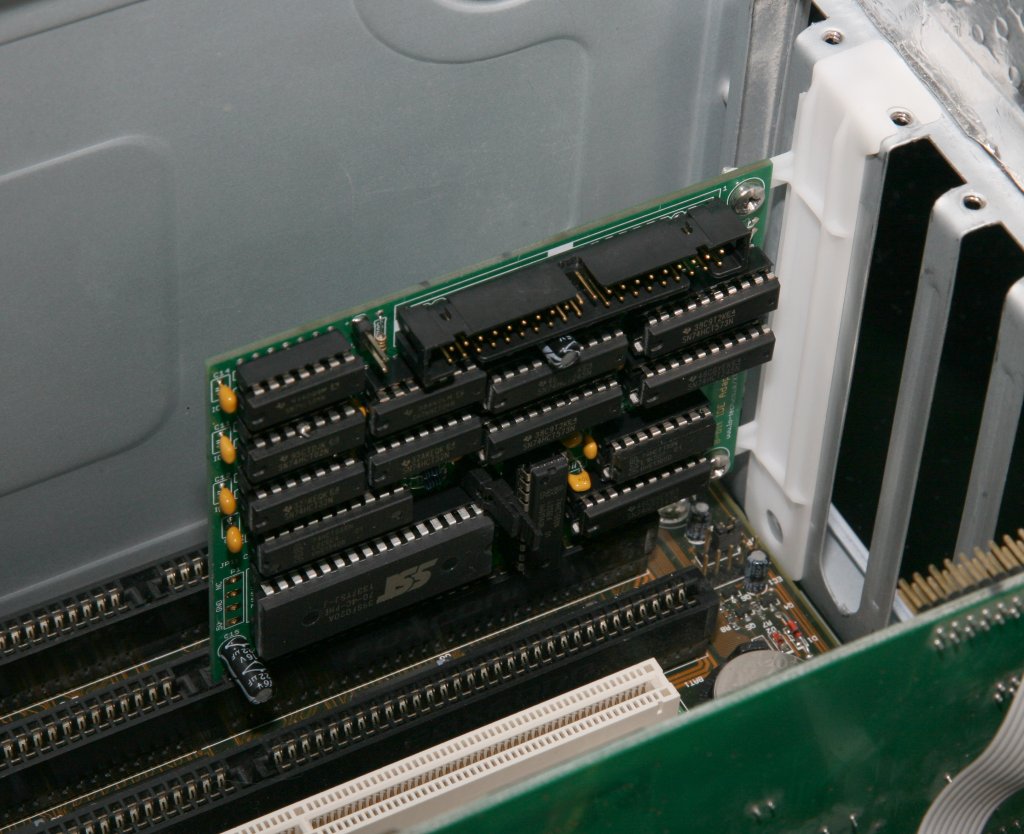
These have again been printed with a high definition SLA process and are much less flexible than the first version. These look good installed and do the job of holding the cards upright perfectly:
The Lo-tech ISA CompactFlash kit makes it possible to boot a vintage PC from a CompactFlash card in a straight-forward through-hole soldering project by means of a cheap CompactFlash-to-IDE adapter (like this). Whilst there’s long been interest in a similar SD-Card storage option, CompactFlash has always been just so much easier since it was designed for the ISA bus and supports an 8-bit transfer mode natively.
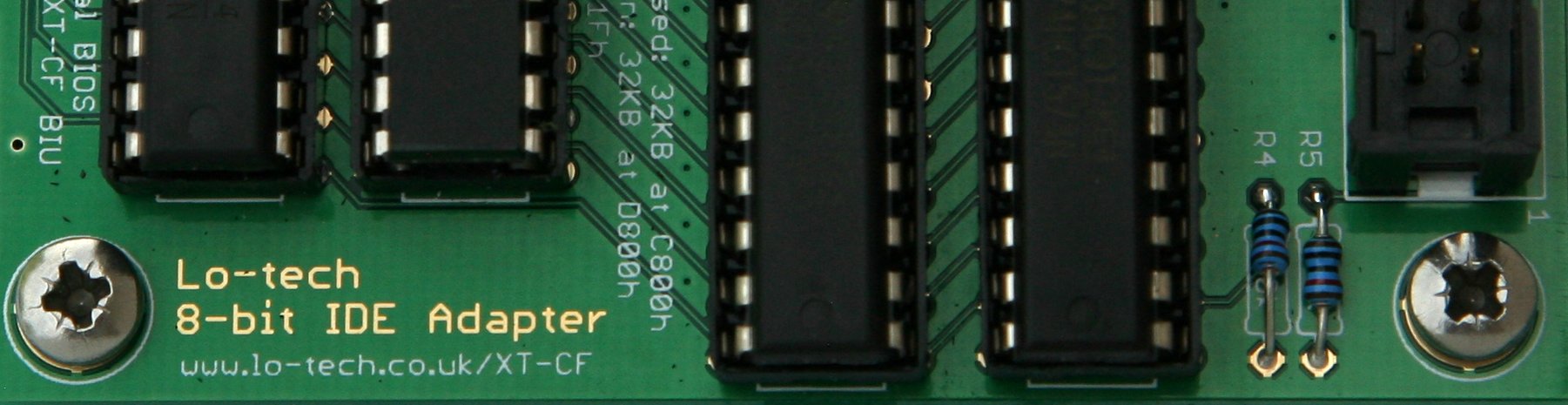
The development process for the (forthcoming) Lo-tech 8-bit IDE Adapter meanwhile involves testing as many different drives as possible, and it was perplexing that an SD-Card-to-IDE adapter just wasn’t detected, given that all the real hard-drives so far tested worked OK. This got me thinking.
Test BIOS
In hacking the XT-IDE Universal BIOS (XUB) to work with the new 8-bit IDE adapter, I’ve simply re-used the existing XT-CF ‘BIU’ controller type (designed for CompactFlash and so making use of the 8-bit transfer mode) and bypassed the error checking on the 8-bit mode set command. This allows the disk to stay in 16-bit transfer mode (because generally 8-bit transfer mode isn’t supported by real hard-disks) and leaves the magic to the hardware on the 8-bit IDE Adapter. This works OK, but… what if the SD-to-IDE adapter actually supported 8-bit transfer mode?
In that case, the BIOS would set 8-bit transfers, then only ever retrieve half the sector data interspersed with random garbage, since the logic on the new adapter would be storing the high 8-bits which we’d just configured the device not to present. So could the SD-to-IDE adapter work on the ISA CompactFlash adapter?
Lo-tech ISA CompactFlash Adapter booting from an SD card interfaced via an FC1306T based adapter
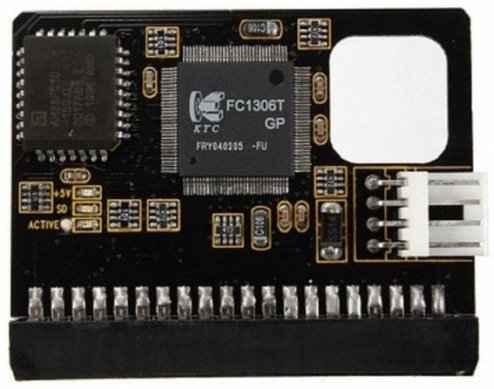
FC1306T (GP)
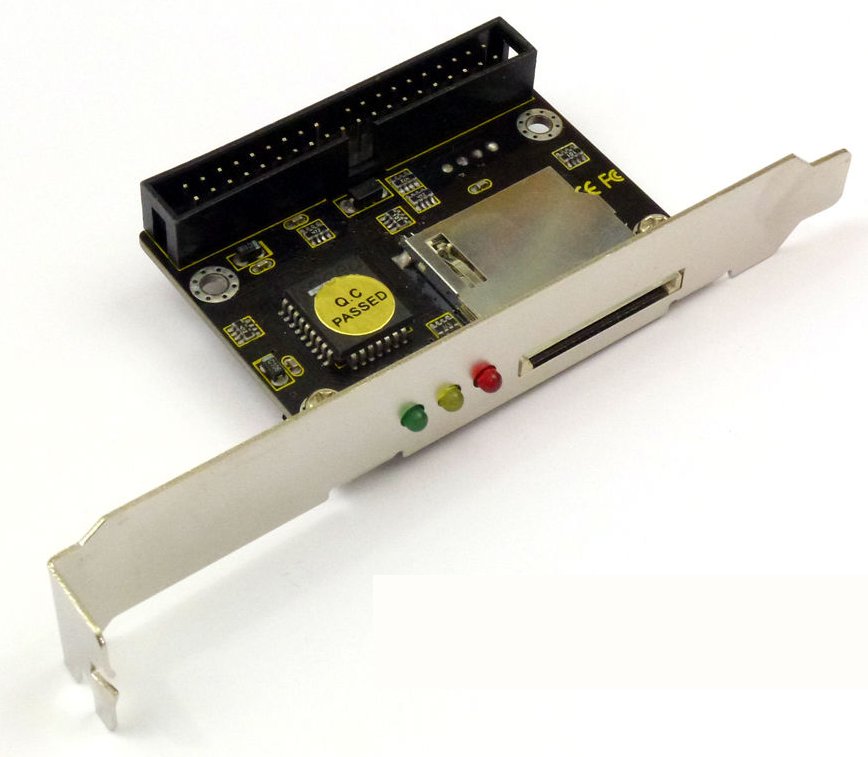
The SD-Card adapter I was testing was based on the FC1306T chip, and the answer is right there in the datasheet: it’s actually an SD-to-CompactFlash adapter, “Fully compatible with CFA (Compact Flash Association) Standard”, which of course includes 8-bit transfer mode.
FC1306T based adapters seem to be in plentiful supply – in header, cable or slot-mount types, and any adapter based on this chip should work!
FC1306T based SD-Card to IDE adapters support 8-bit transfer mode
Performance wise these run at about the same speed as a basic CompactFlash card – around 200KB/s in an otherwise stock PC/XT. The slot-mount type need some care in mounting as they have PCI profile brackets, with the card mounted on the other side. I found it could be bent a little for use in an IBM Portable PC 5155 slot 8, providing externally accessible SD card storage and using a slot of otherwise limited use.
SD card throughput in an otherwise stock IBM Portable PC 5155
Lo-tech is in no way associated with the sellers of products on other sites linked to on this page (which are provided to provide an example of the types of products available).
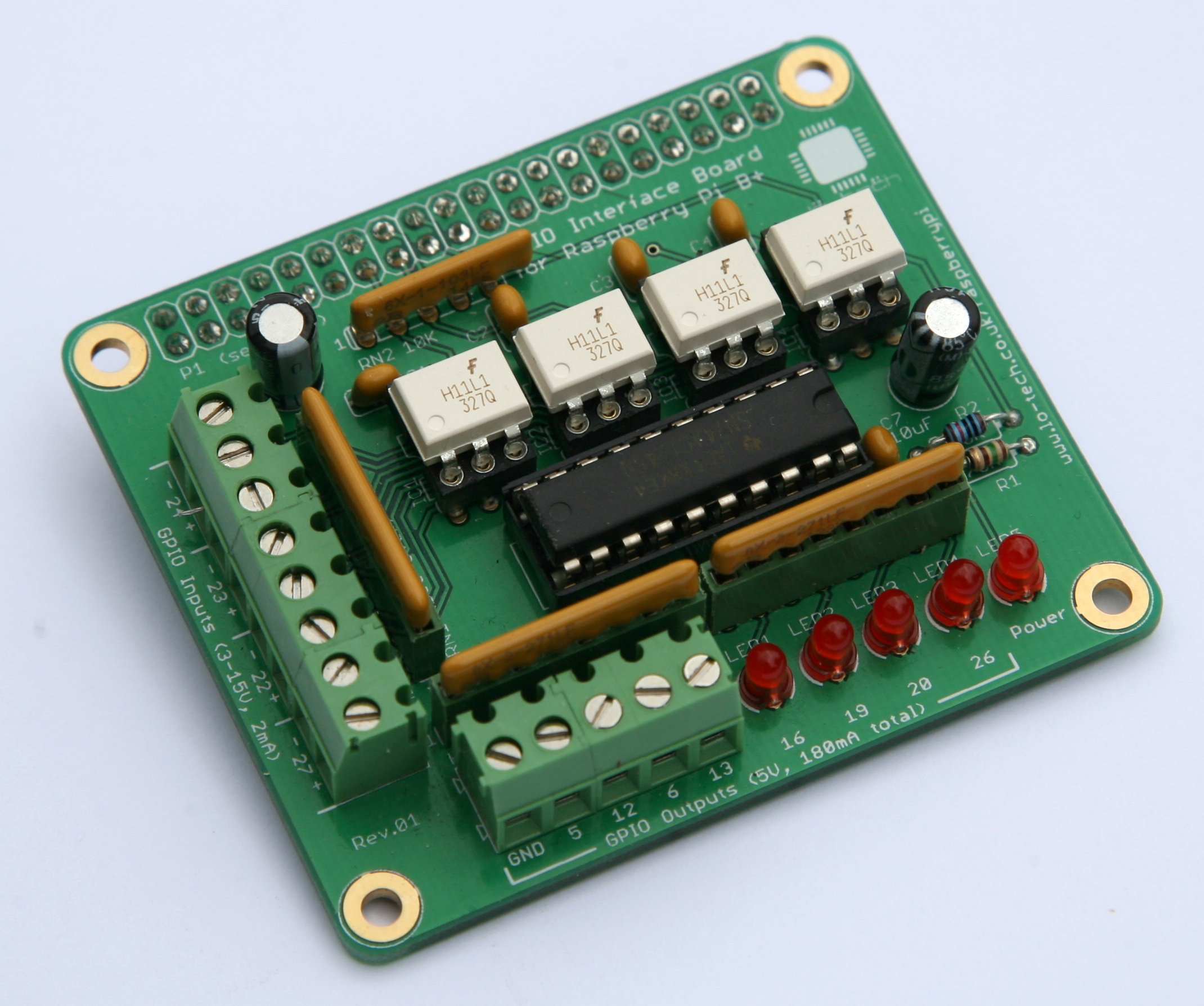
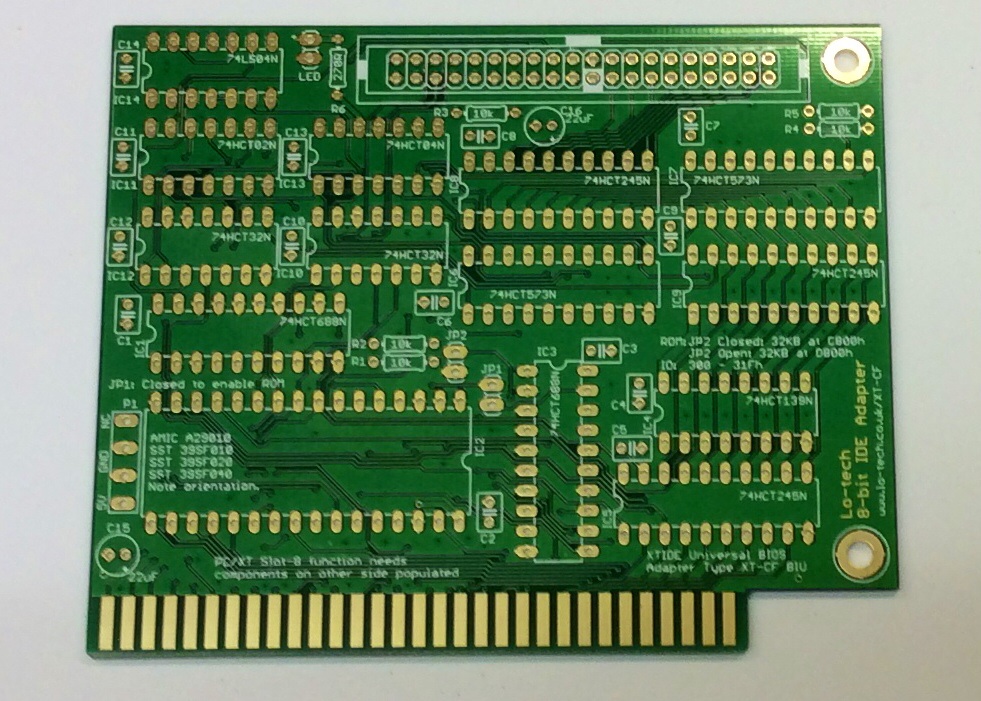
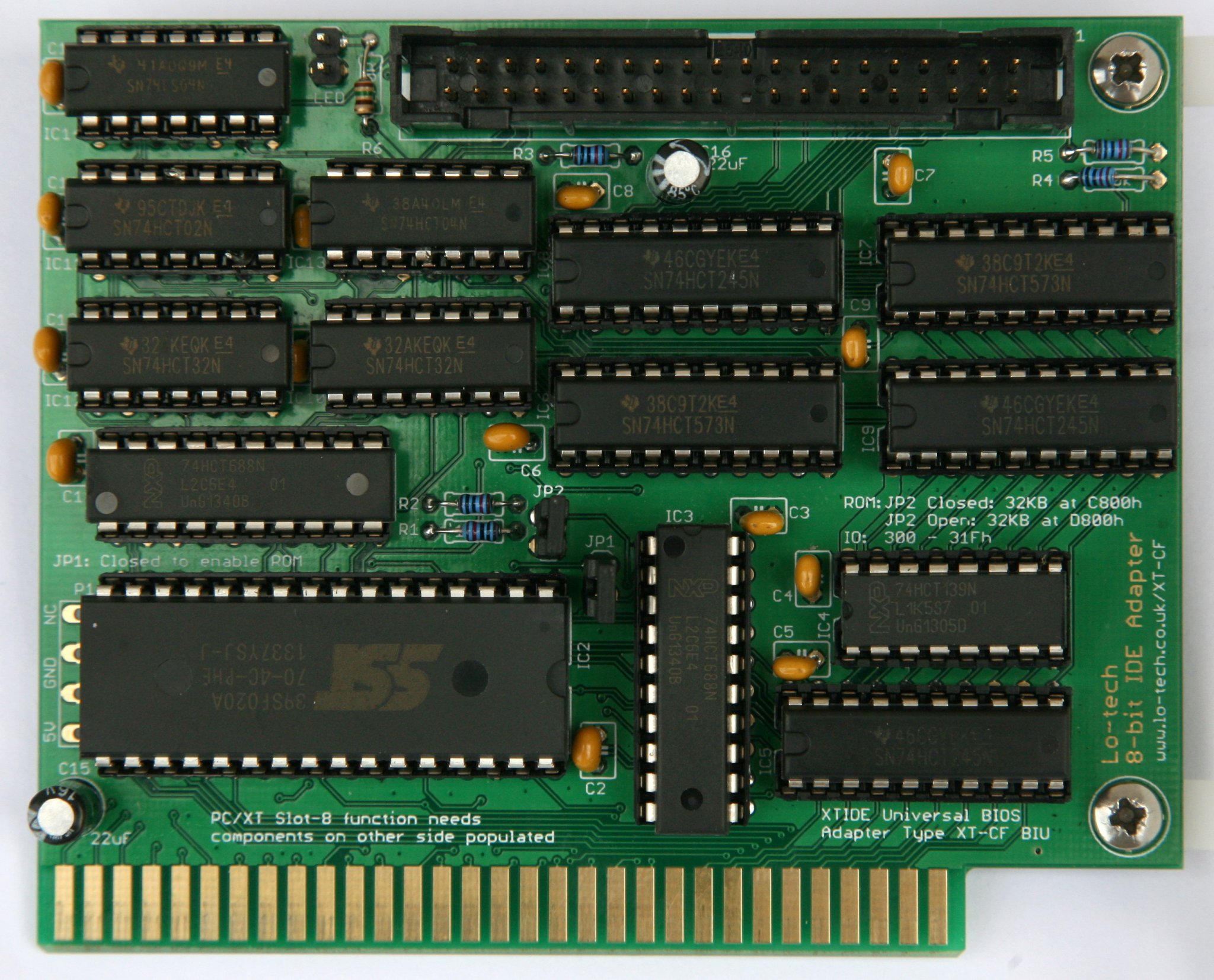
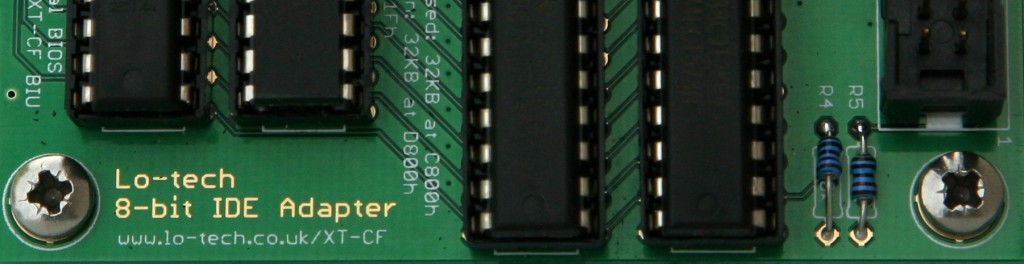
The Lo-tech 8-bit IDE Adapter is a bootable IDE controller for vintage PCs with only 8-bit ISA slots – basically PC/XT class hardware. The adapter is a development of the the Lo-tech ISA CompactFlash Adapter, adding an 8- to 16-bit MUX to make possible the use of normal hard drives, including current SATA drives (via an adapter like this). In this post, I’ll cover how the adapter works.
16- to 8-bit MUX Design
The main design goal with this adapter is to enable the use of standard, 16-bit drives (‘ATA drives’) with PC/XT class hardware. ATA drives all use both 8- and 16-bit data transfers:
Port 0 – 16-bit data port. This is where the actual sector data is transferred
Port 1 to 7 – 8-bit command ports. This is how the drive is told what to do next, like read or write to a sector.
Port IO with 8-bit ISA Cards
In the IBM PC, port IO can also be either 8- or 16-bit, even in XT class hardware with 8-bit ISA slots. Logic in the system known as the bus interface unit (BIU) makes this possible by breaking 16-bit instructions into two consecutive 8-bit bus cycles at consecutive 8-bit port addresses. Hence a single 16-bit port IO is, with 8-bit ISA cards, exactly equivalent to two consecutive 8-bit port IOs:
8-bit ISA cards can still use 16-bit CPU instructions (MSB=most significant byte, LSB=least significant byte)
Note that this applies specifically to hardware in 8-bit ISA slots; when a 16-bit instruction is used with a 16-bit device, all 16-bits are transferred in one bus cycle (and via a single, port 0 in this example). This difference provides both a problem and an opportunity – the ATA specification defines port 0 (only) for (the 16-bit) data transfer, so it just won’t work ‘as-is’ via an 8-bit slot, but secondly the CPU and BIU will already deal with one half of the equation. The 8-bit adapter just needs to break apart 16-bit drive IO into two ISA bus cycles, without the drive noticing.
Port Remapping
Making ports 0 and 1 free for the ATA data register is straightforward – just shift all the command addresses left one bit, a trick already used in the XT-CF line of adapters. With the BIOS code similarly updated, it makes no difference to the drive and this then means address line A0, which distinguishes port 0 from port 1, is free for the adapter to use for something else.
With that in place, 8- or 16-bit port IO can be performed to any of the drives registers, though the ATA specification only calls for 16-bit IO on the data register.
The MUX
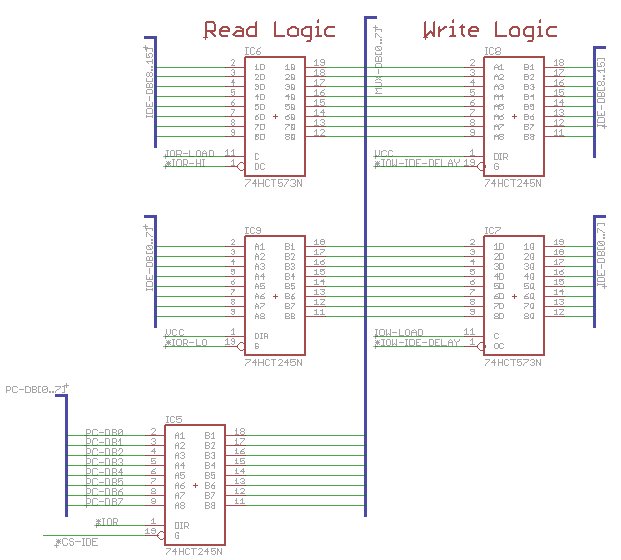
The 8- to 16-bit MUX itself uses a separate 74HCT573 and 74HCT245 pair for reads and writes, and another 74HCT245 to link back to the PC data bus. The ‘573 is a latch (like a one-byte memory) providing temporary storage, and the ‘245’s are buffers that can be switched on at will, enabling isolation of certain signals when required.
For reads:
First bus cycle: a 16-bit word is transferred from the drive. The LSB is presented to the PC data bus and the MSB stored in a latch.
Second bus cycle: data from the latch is presented to the PC data bus, and the IO signal to the drive suppressed.
For writes:
First bus cycle: LSB presented on the PC data bus is stored in the latch, and the IO signal to the drive suppressed.
Second bus cycle: MSB presented on the PC data bus is presented to the drive interface MSB, and data from the latch is presented to the drive LSB.
Interface Timing
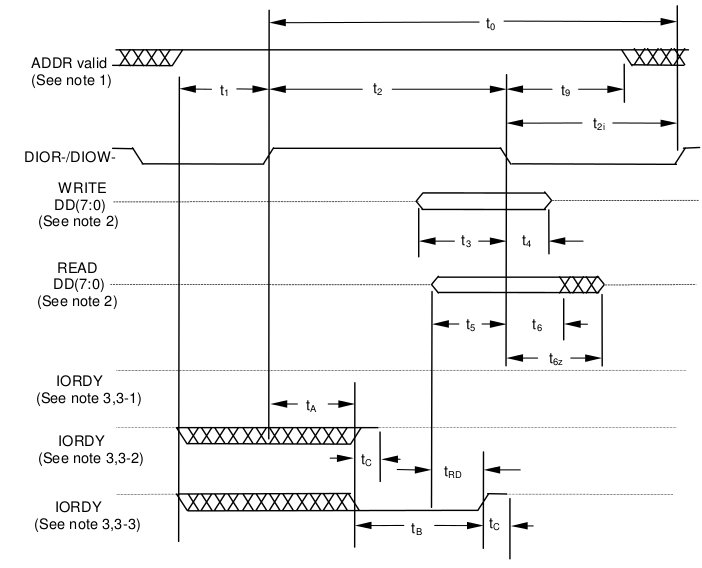
The timing of this process needs some consideration as we need to be sure that data is stored in the appropriate latch before it disappears from the data bus, and secondly that data is presented until just after whatever is receiving it has stored it – this is measured as the data hold time.
ATA Interface Timing Diagram
For ATA mode 0, the specified data hold times are 5ns for reads (t6), and 30ns for writes (t4).
For writes, to keep data presented after DIOW line is released at the drive, the latch and buffer outputs are fed from the delayed signal (*IOW-IDE-DELAY in the schematic)
For reads, the hold time specification of the ‘HCT573 must be observed (9ns). The data being presented by the drive is held beyond the latch time since the drive DIOR line is fed from the delayed signal.
The delays are made by feeding the respective signals through three NOT gates (the control logic already inverts it once) in IC14. The delay can be controlled by the component choice (~15ns with SN74LS04N, or about 25ns with SN74HCT04N). Without the delay lines, for example in the case of a write the latch output would be turned off just as the drive latches the data because of zero hold time – the data may or may not still be valid as the drive stores the data.
PCB Errata
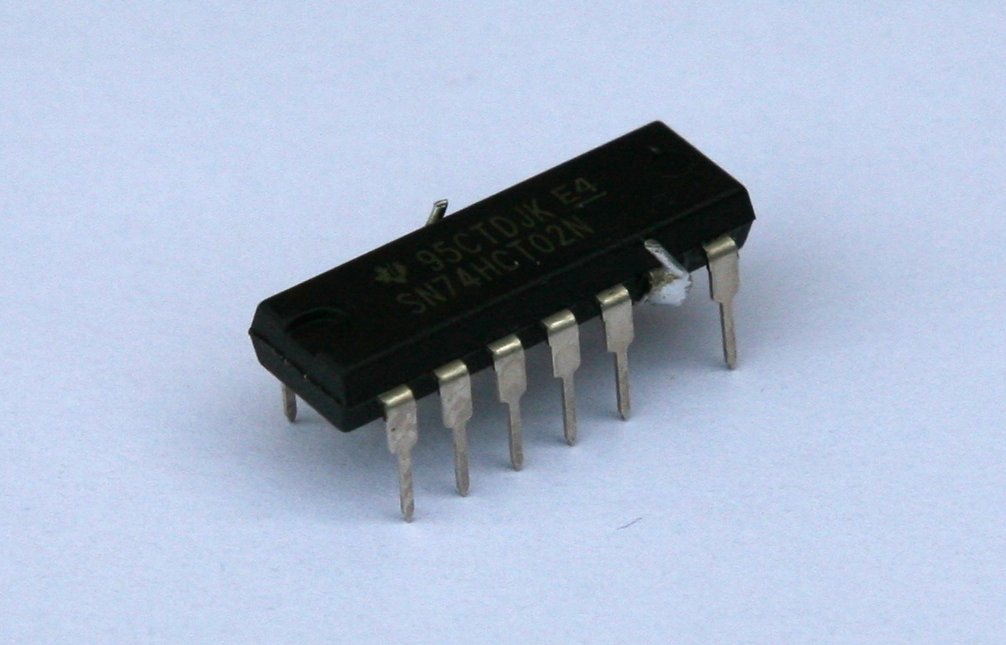
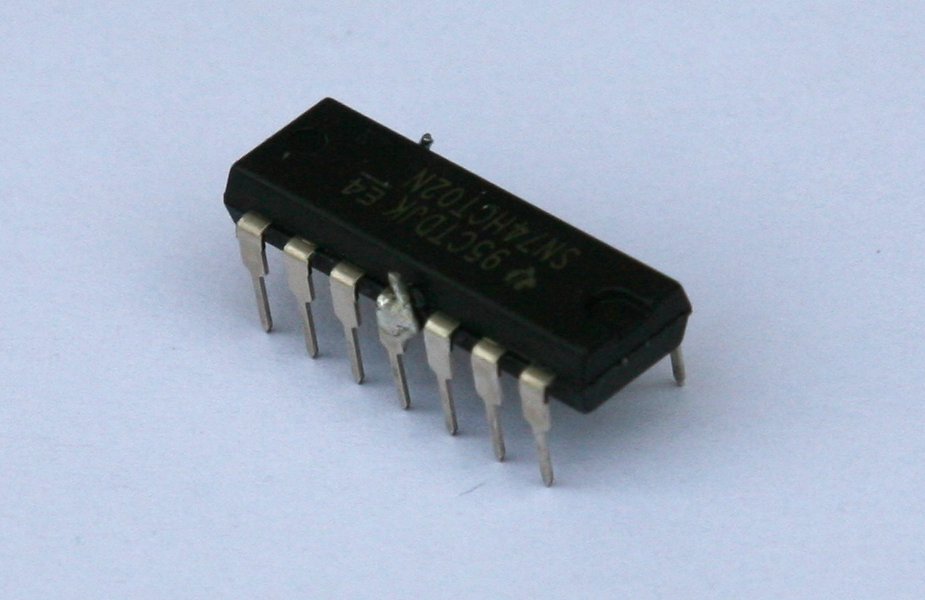
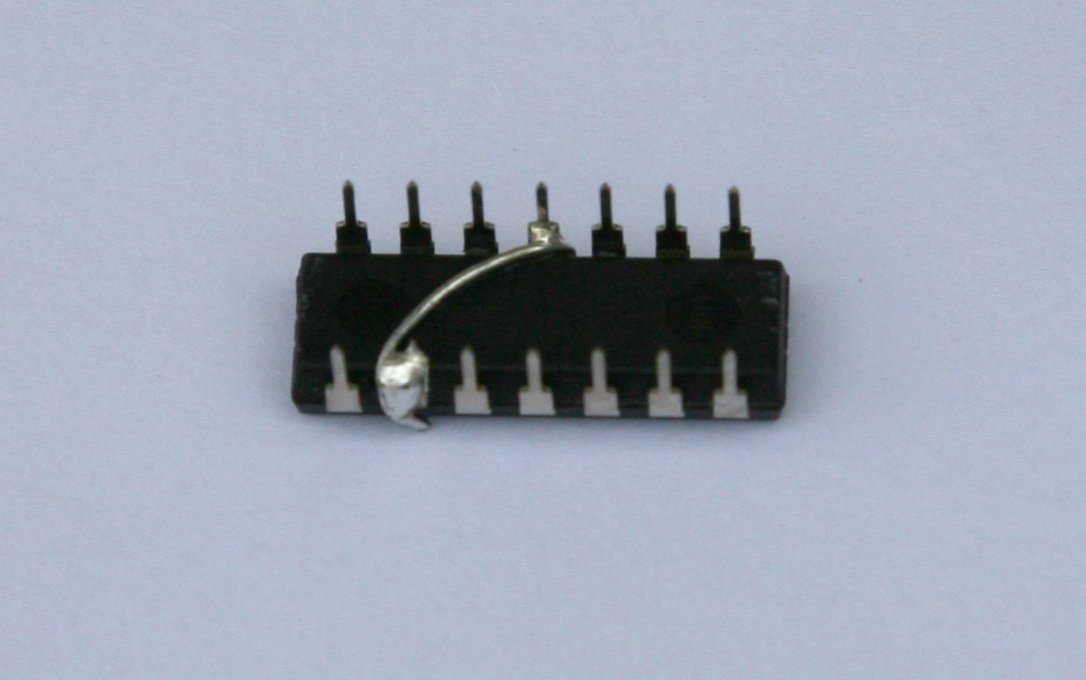
In the first version of this board, the write latch load signal is masked unless the request is port 0, which works for the data register but also means no commands can be issued to the drive! Instead, the signal should be masked only when the request is port 1, which can be fixed by modifying the 74HCT02N that will be fitted as IC11 – more details to follow in a build post.
Lo-tech is in no way associated with the sellers of products on other sites linked to on this page (which are provided to provide an example of the types of products available).
The lo-tech ISA CompactFlash adapter continues to be the top selling lo-tech project kit, providing a bootable fixed disk option for vintage PCs with the added satisfaction of being something that can made by the hobbyest. But one question just keeps coming… can it be used with a real hard disk?
The answer is yes, but only ATA-2 disks (typically 80 to 250MB and obviously now long past their use-by date) as it depends on ATA-2 8-bit transfer mode, which of course is still supported by all CompactFlash cards. This makes it relatively simple and small enough for the Sinclair PC200 that was the design motivation. The 40-pin IDE header just avoids fiddly surface-mount CompactFlash headers – adapters are available on eBay very cheaply (random product link).
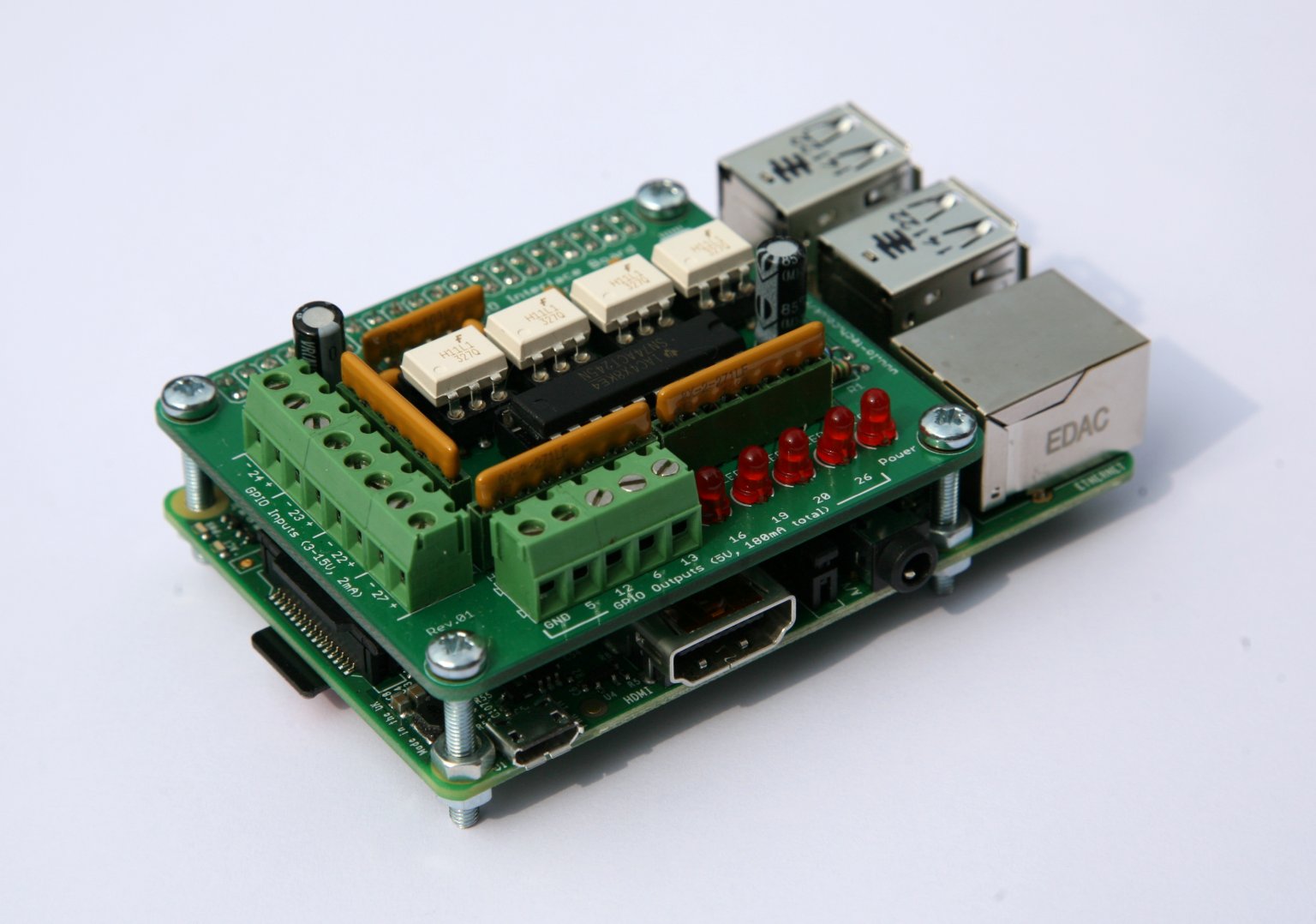
So to answer the continuing demand for an adapter compatible with all normal IDE drives, I’ve taken the ISA CompactFlash adapter design and added the 16- to 8-bit logic (the MUX) to make it work with normal drives – including SATA drives and SD cards via appropriate adapters (random links: sata adapter, SD adapter). This has doubled the PCB size and increased the chip count from 6 to 15, but here it is!
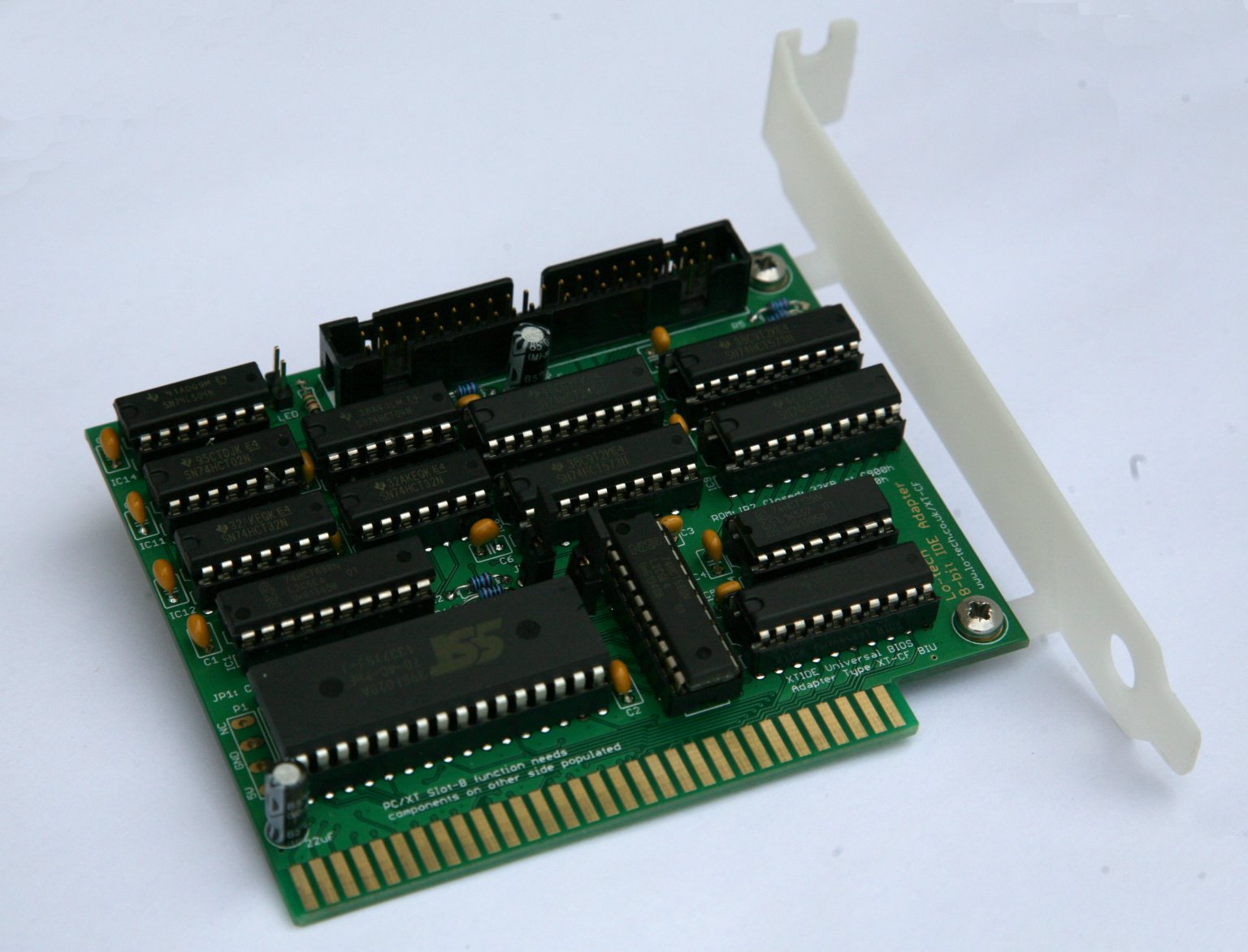
The Lo-tech 8-bit IDE Adapter is an IDE controller for 8-bit ISA slots that works with normal IDE and SATA drives
Adapter In Action
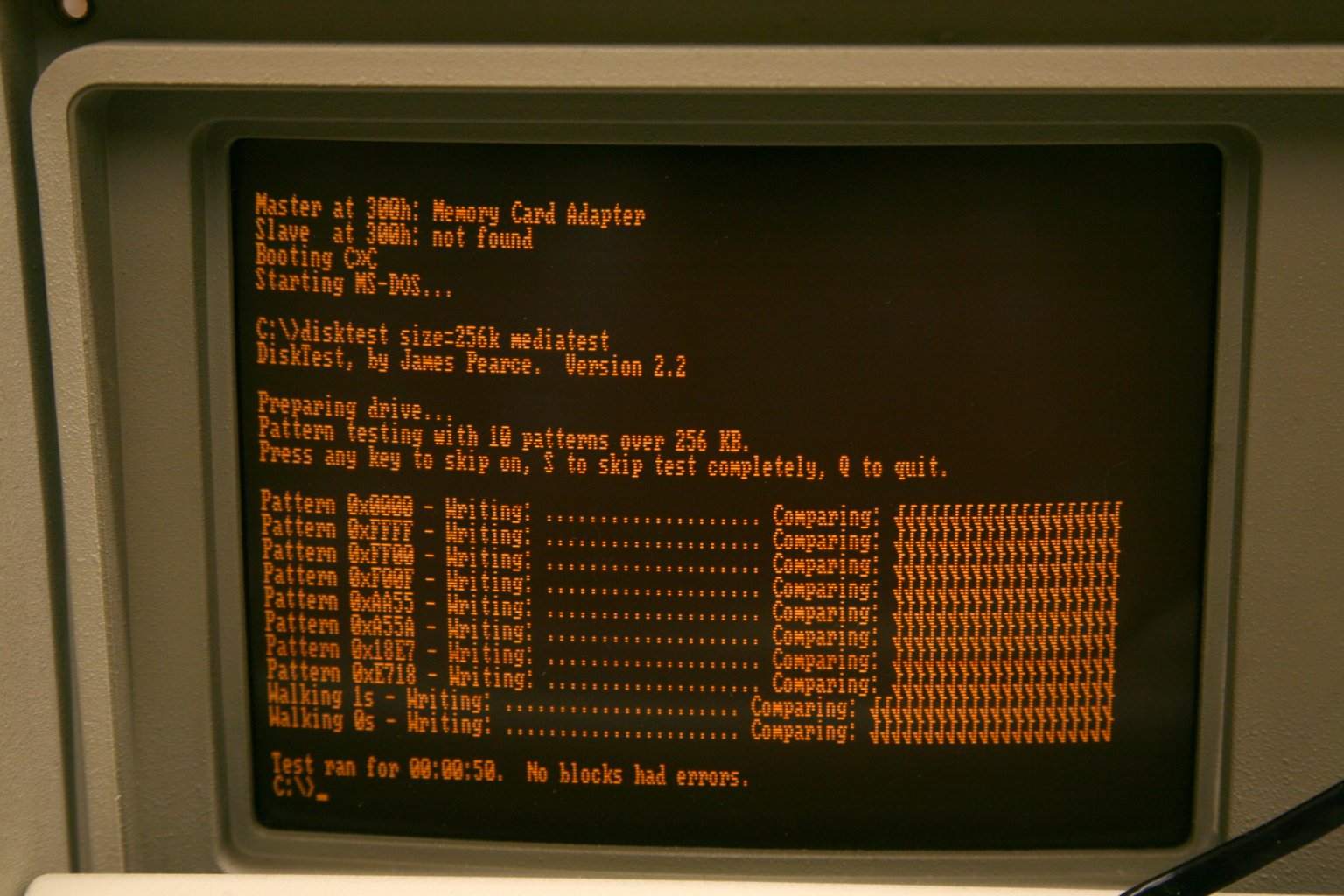
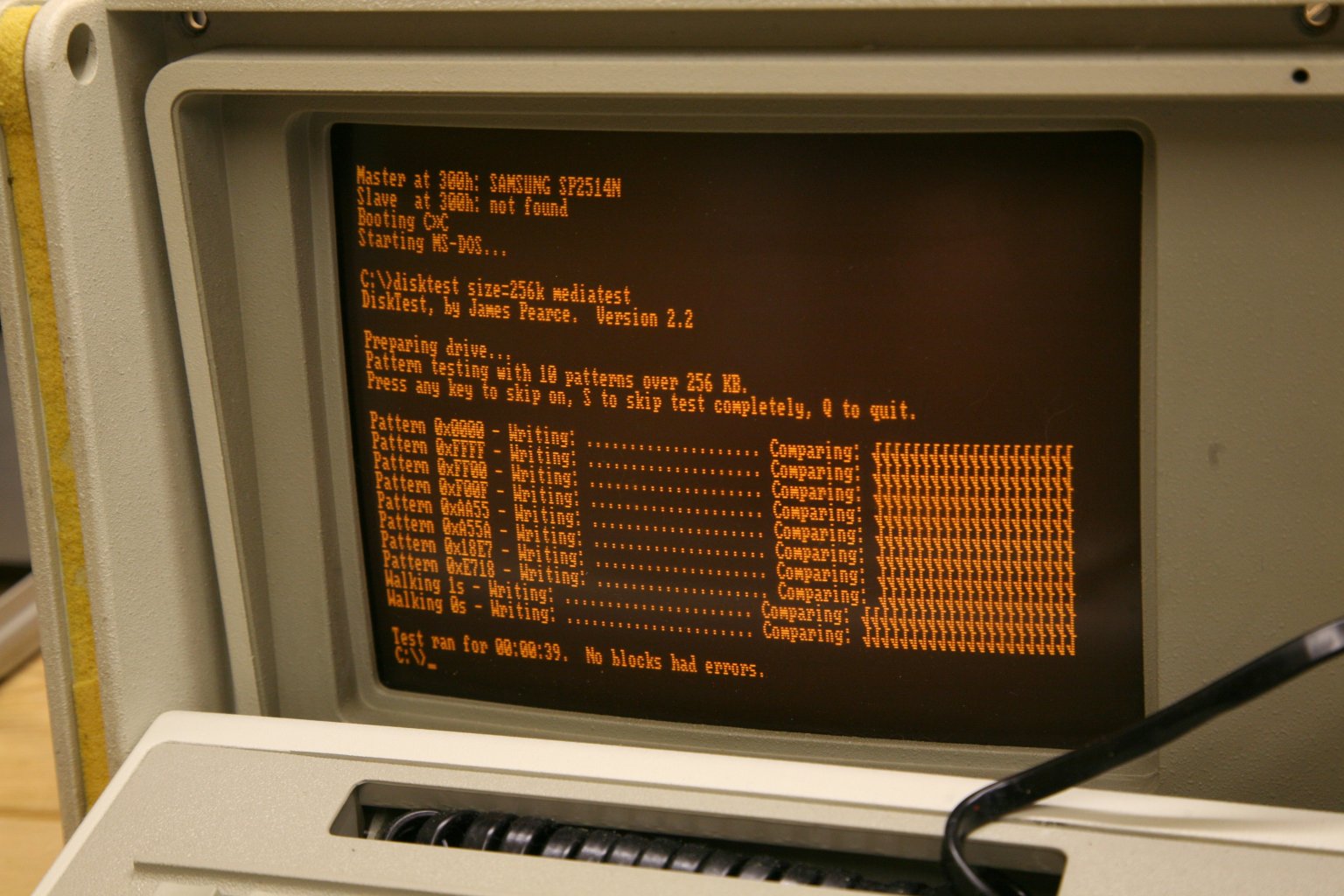
The detail of how the adapter works I’ll cover in another post, but for now here is an IBM PC 5155 booting up from it and running some pattern tests:
Testing so far is limited, but all drives tested have worked, including two SATA drives. Performance wise, it runs at about 250KB/s with a 4.77MHz 8088, and I’d expect about 400KB/s with a V20 (thanks to the REP INSW optimisation).
More details, and PCBs, coming soon!
Lo-tech is in no way associated with the sellers of products on other sites linked to on this page (which are provided to provide an example of the types of products available).
I’ve wondered for a while whether the custom designed ISA slot brackets used by lo-tech PCBs would be any good made with 3D printing. The technology is obviously progressing rapidly, with the price of home machines tumbling and commercial services now offering a variety materials and processes (including some metals).
The first step was to create a 3D model of the brackets from the simple sketches, for which I opted for OpenSCAD. It’s a kind-of programming language that allows the design to be described precisely in code, for example a bit of code looks like this:
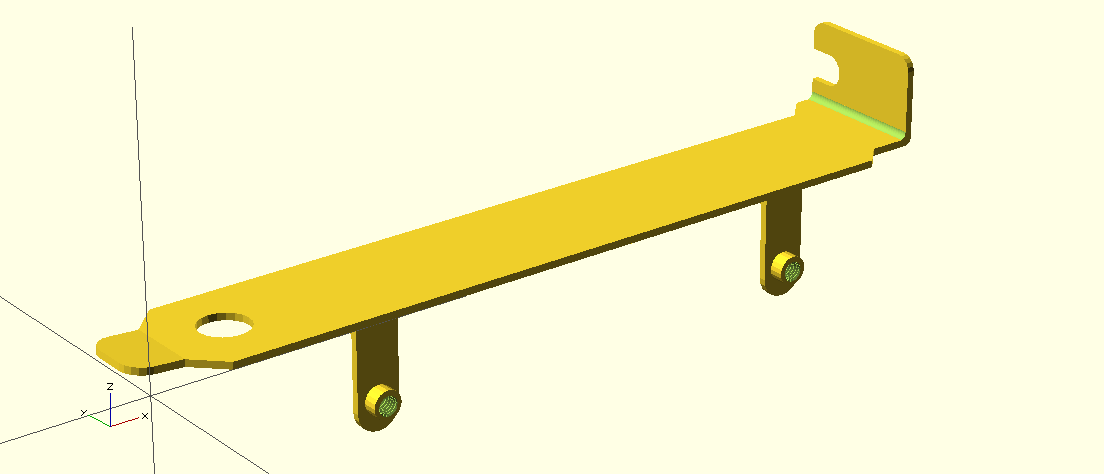
Once the shape has been defined, the software then renders it on-screen and produces a bunch of stats about the object generated. Here’s the rendered shape of the lo-tech type 3 bracket:
This can then be exported to a suitable format for manufacturing, like STL. Two things I learnt:
The 3D shapes are unit-less, that is to say that the fabricator needs to know what a measurement of 1 means. Most online quoting tools allow the selection of inches or mm.
When rendered, OpenSCAD produces some stats. To be made successfully, a shape must be simple and have 2 volumes.
With that sorted and an order for both FDM and SLA processed brackets placed, a few weeks later the first prototypes dropped through the door. The FDM process had a great textured finish and was quite stiff, but was too brittle at least at the specified 1mm thickness, and the M3 screw threads couldn’t be printed. The SLA process produces a way more flexible and high-resolution product accurate enough to have working M3 threads. This is therefore the chosen process for the brackets now available for the lo-tech EMS, RAM and soon-to-be-released 8-bit IDE PCBs:
3D Printed brackets for lo-tech EMS and RAM boards are available in the store now.
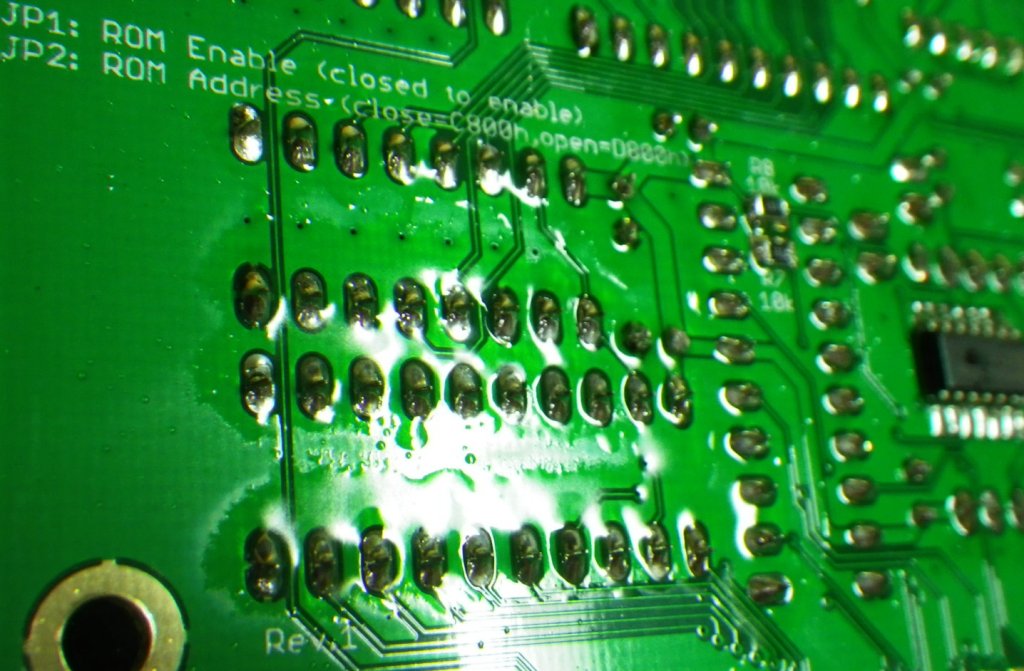
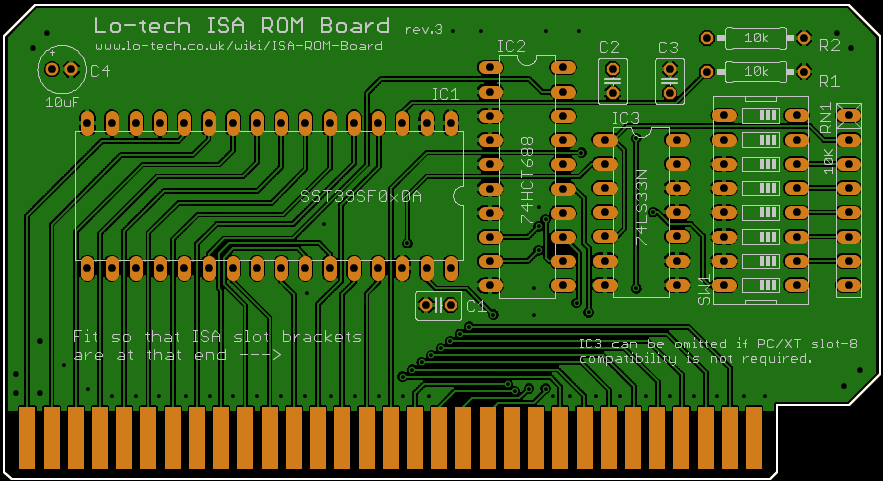
The Lo-tech ISA ROM Board is a simple and cheap to make 8-bit ISA board that provides a 32 or 64KB ROM via a flash chip, and was first released in 2012 primarily to help with XT-IDE Universal BIOS development. It now enters it’s third revision, adding PC/XT Slot-8 support.
The board retains all the previous features, including selectable 32KB or 64KB operating modes, in-system programming, extensive address selection options, and entirely through-hole component choice for easy home assembly.
This kit is ideal for anyone tinkering with IBM PC BIOS or option ROM development, or as a handy flash ROM to add option ROMs for example to support high density floppy, IDE controllers without their own ROM, or network boot (like ATAoE).
Along with a few component changes and the addition of configuration information on the silkscreen, the main changes are the addition of PC/XT slot-8 compatibility to the RAM Board, and a better choice of IO port addresses on the EMS Board.
Both boards now also use the same mounting hole placement, meaning a new ISA slot bracket, which is currently in development.
RAM chips in early 1980’s PCs are a fairly regular cause of problems, and then there’s the issue of only have some meager amount of RAM installed on the system board, as little as 16KB on the first IBM 5150.
Mostly RAM is expanded up to the maximum (usually 640KB) via a multi-function ISA expansion card, but these boards don’t provide upper memory blocks (above 640KB) nor generally EMS, a memory expansion technology for 8088/8086 PCs providing up to 32MB defined by Lotus, Intel and Microsoft. For that, something like an Intel AboveBoard is required, which is a full-length and now rare card.
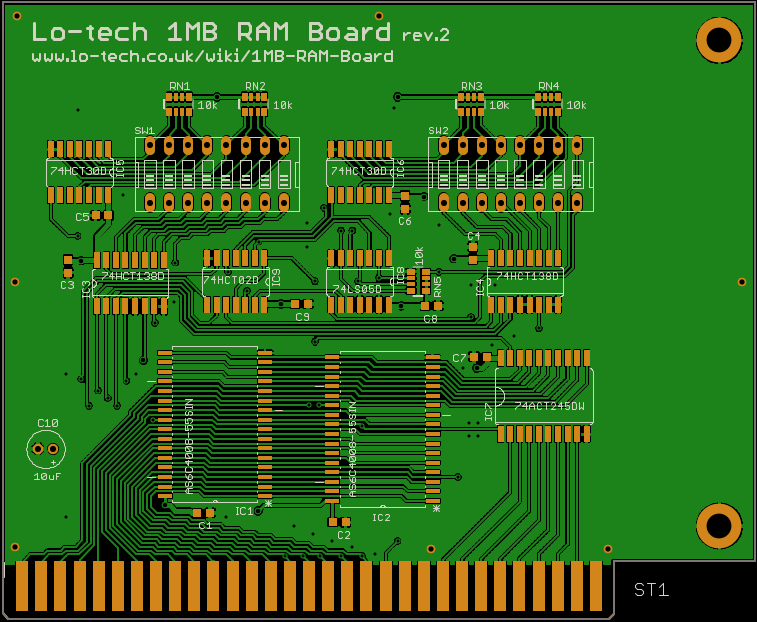
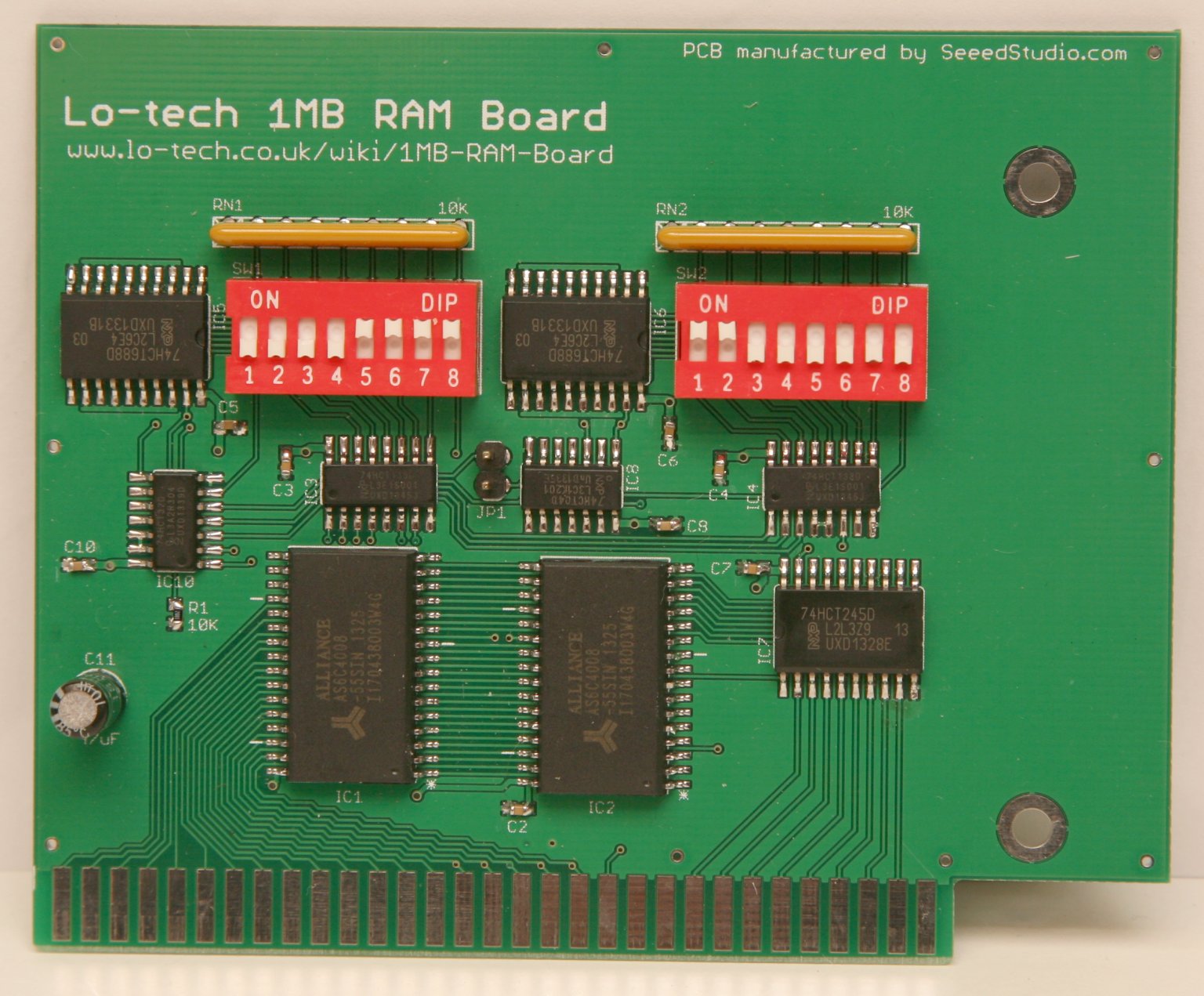
The lo-tech 1MB RAM board, providing from 48KB to 1MB of system RAM, with each 64KB page individually switchable to provide a universal expansion board for any 8-bit PC, regardless of how much RAM is installed on the system board. The first 16KB can also be switched off, enabling its use with a stock 16KB 5150.
2MB EMS Board
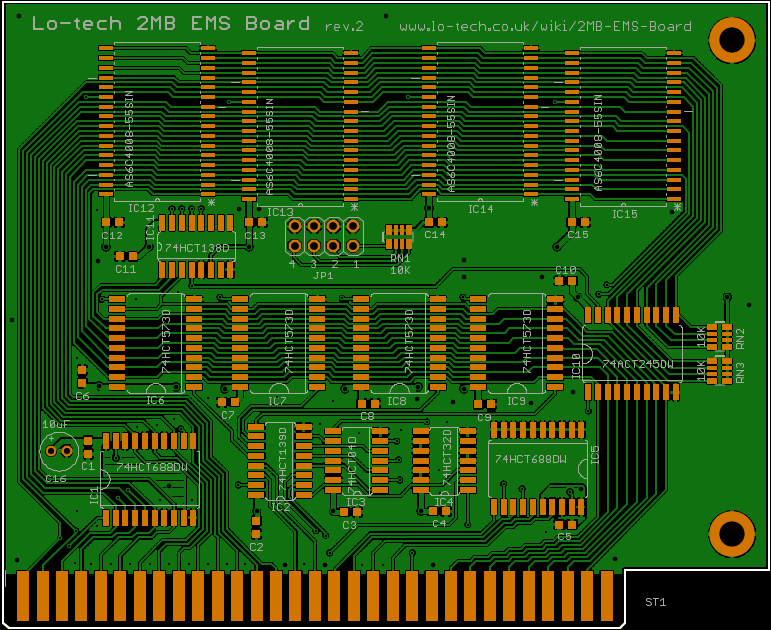
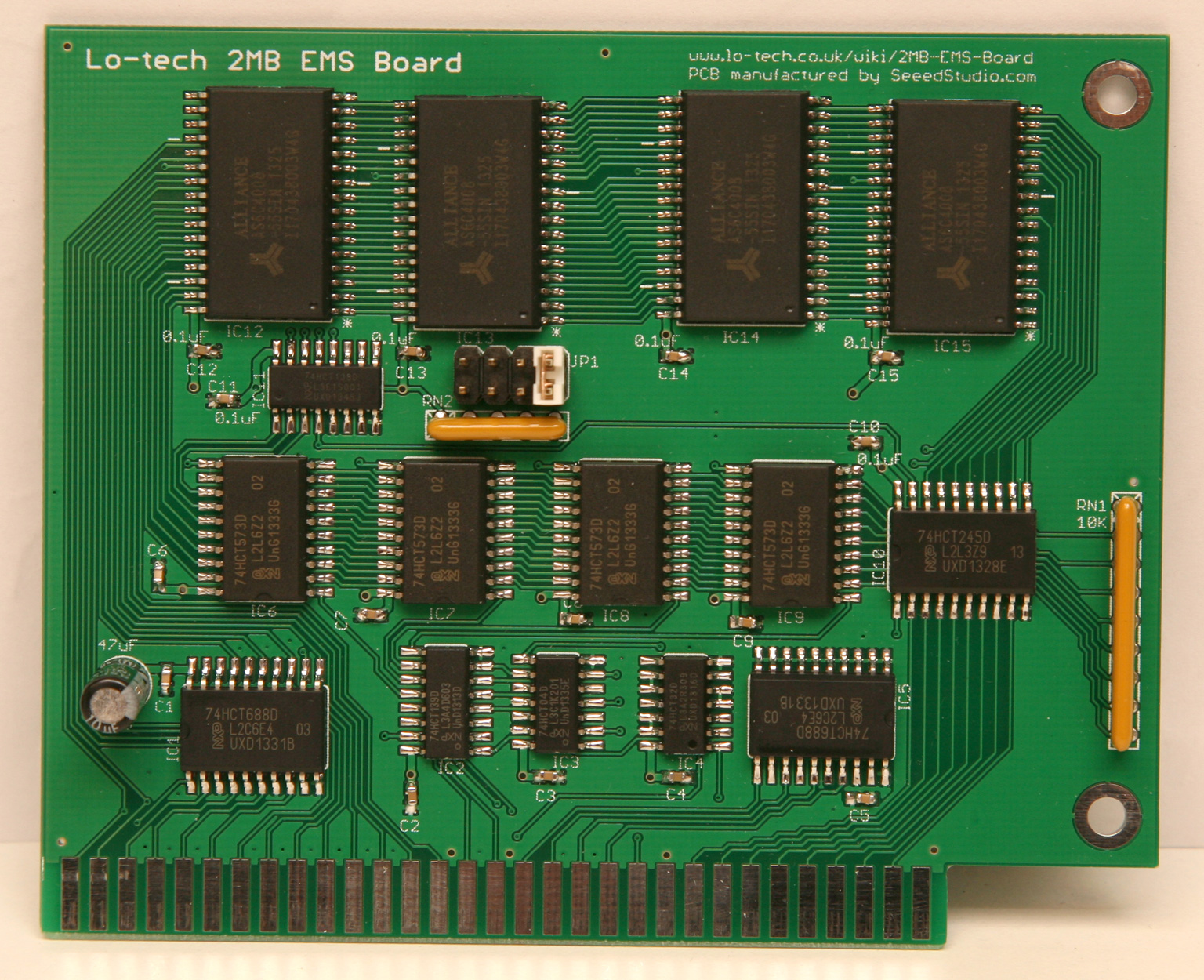
The lo-tech 2MB EMS board, providing from 512KB to 2MB of LIM 3.2 expanded (EMS) memory (available capacity is dependent on how many SRAM chips are populated). Applications like Lotus 1-2-3 and Windows 2.x and 3.0 will use EMS when available.
Both boards are built on 1.27mm pitch SMT components in order to fit everything on the available 80x100mm Eagle Lite routing area. Assembly of these components is perfectly acheivable at home – see the lo-tech SMT soldering guide.
These boards are both in first-prototype testing phase and so should not yet be considered fully functional; some refinements are likely in future revisions. Initial test results have though been positive – using the lo-tech test-bench IBM 5155:
The RAM board is detected as configured on the DIP switches and the machine is able to run through Trixter’s 8088 Corruption (which utilises all available RAM) without issue
The EMS board is correctly identified by a low-level test routine and passes basic page register and fill operation tests
But, more test hours are needed and the driver for the EMS board is yet to be written – that’s work-in-progress!
The most common requests are for fully assembled boards or complete parts kits, so I’m now pleased to announce the availability of full kits for the ISA CompactFlash board, available now!
The kit contains everything needed to build a fully functioning board to allow the connection of a CompactFlash card, via a cheap Compactflash-to-IDE converter like this one or this one (randomly picked; I have no connection with the sellers) to an 8088 or 8086 based IBM compatible PC.
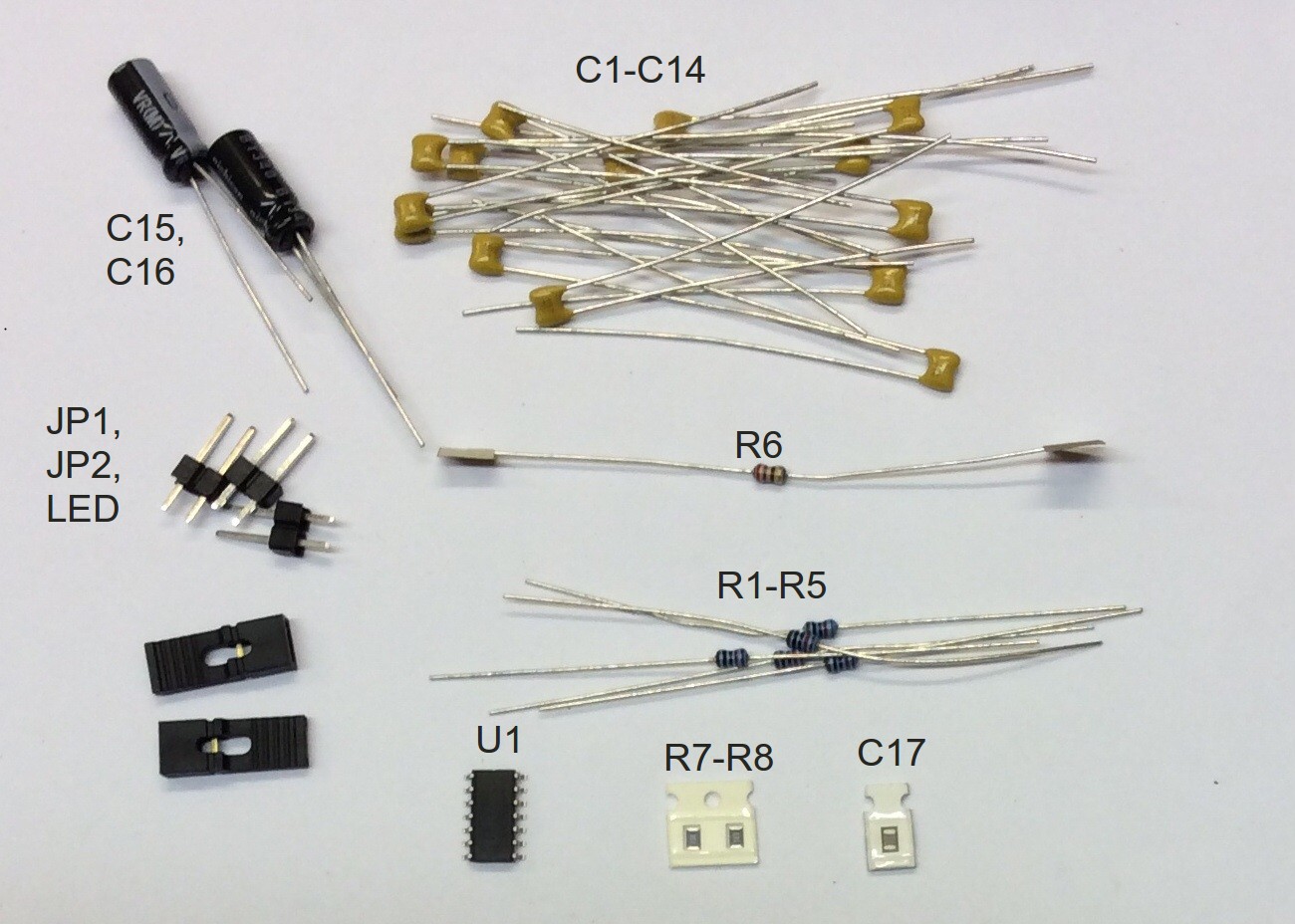
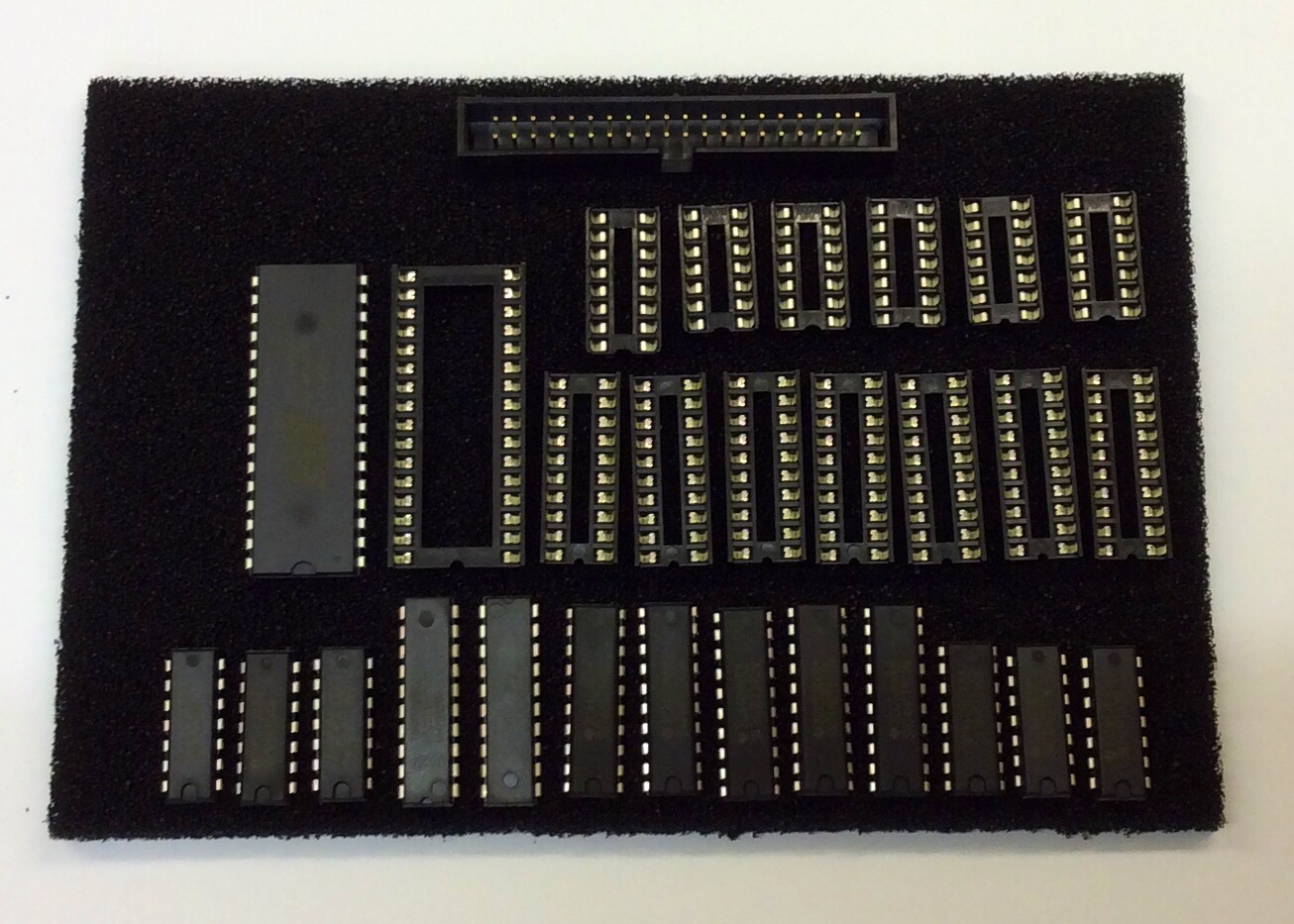
In the parts bag are the ICs and sockets pressed into some antistatic foam, and a number of loose components – everything on the Bill Of Materials:
ISA CompactFlash Parts Kit Contents
The loose components are:
Once assembled, the XTIDE Universal BIOS must be programmed onto the card. This can be performed with the card installed in the PC (no external EPROM programmer is required) using the lo-tech Flash utlity and the pre-configured ROM image. This requires having some way to transfer the utility and image file to the target system, for example by floppy disk. If you don’t have this capability, the ROM can be programmed in an external programmer, or the kit can be shipped with the ROM ready-programmed – just add the Flash Chip Programming Service for each kit purchased.
It turns out there’s already a bootable IDE solution, the FreHD project, providing access to disk images stored on a FAT32 formatted SD card powered by a PIC microcontroller. It does look fantastic, but I felt there could be space for something simpler (and so cheaper) as well.
The prototyped low-cost adapter needs just a few 7400 series ICs, and simply ignores half the data coming from the IDE device to provide the 256-byte sectors the TRS-80 expects. The designer though notes some compatibility issues:
I did have one problem, though — not all IDE drives would work….only one of the four IDE drives I tried would work.
When the CPU accesses a device, it first provides the address (IO Port) then the read or write signal. In the Z80 world the CPU generates the same address, read (RD) and write (WR) signals for memory or IO port addressing, the two being distinguished with IO-Request (IORQ) or Memory Request (MREQ) signals.
In the TRS-80 expansion interface (model 3/4/4P), the system combines IORQ, RD and WR signals to provide simple IN and OUT signals along with the address bus, also providing IORQ and M1 signals for reference which can be used to identify interrupt acknowledgement.
In the original design it seems that device compatibility issues might have been caused by the inclusion of IORQ in the address matching logic:
IORQ is asserted concurrently with IN or OUT, so the logic has a timing issue since the IDE interface expects its chip-select (i.e. address match) line to have been asserted before the read or write command.
The Lo-tech design follows more the the XT-CF design, with the IDE chip-select line being driven directly from the address bus with just an LS688 comparator. Some prototyping work by vcforum member Chromedome45 soon proved the logic – so the Lo-tech TRS-80 IDE Adapter PCB design:
Lo-tech TRS-80 IDE Adapter (image generated with GerbV)
Further information on the board including bill of materials, device drivers and design files can be found on the Lo-tech TRS-80 IDE Adapter wiki page.
This website uses cookies to improve your experience. We'll assume you're ok with this, but you can opt-out if you wish.AcceptRead More
Privacy & Cookies Policy
Privacy Overview
This website uses cookies to improve your experience while you navigate through the website. Out of these, the cookies that are categorized as necessary are stored on your browser as they are essential for the working of basic functionalities of the website. We also use third-party cookies that help us analyze and understand how you use this website. These cookies will be stored in your browser only with your consent. You also have the option to opt-out of these cookies. But opting out of some of these cookies may affect your browsing experience.
Necessary cookies are absolutely essential for the website to function properly. This category only includes cookies that ensures basic functionalities and security features of the website. These cookies do not store any personal information.
Any cookies that may not be particularly necessary for the website to function and is used specifically to collect user personal data via analytics, ads, other embedded contents are termed as non-necessary cookies. It is mandatory to procure user consent prior to running these cookies on your website.
Lo-tech products are sold via TexElec. Please visit their web site texelec.com. Dismiss